Destinations User Interface
The Destinations User Interface (UI) in Planet Insights Platform provides a browser-based interface for defining cloud storage targets for Planet data. This tool allows users to configure various endpoints, ensuring data is routed to the cloud storage location(s) where it is needed for analysis and integration workflows.
For more information about Destinations, see the Destinations API documentation: https://docs.planet.com/develop/apis/destinations/
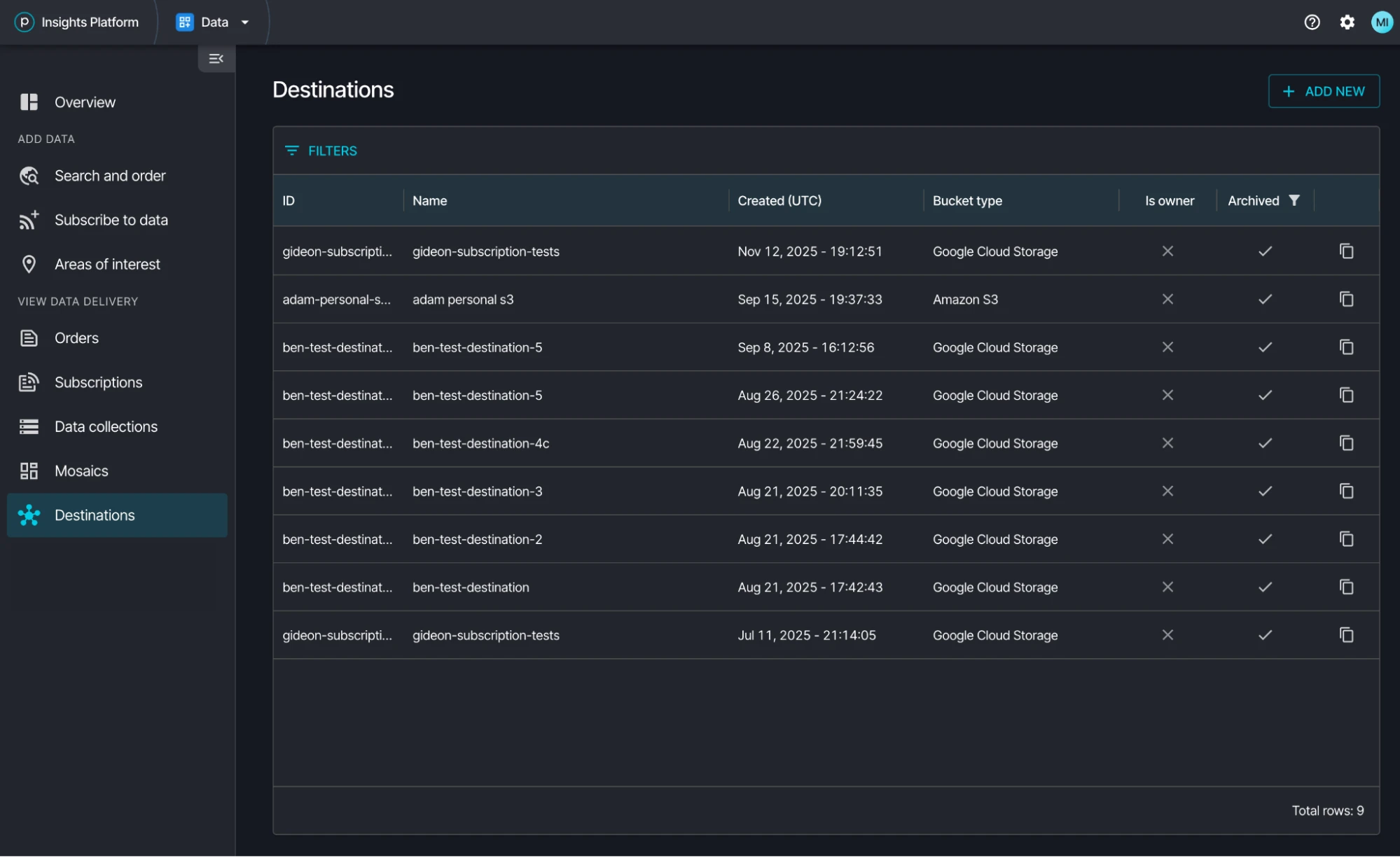
Destinations UI Overview
Key Functionality
The Destinations UI lets users create destination configurations and view existing ones. Each destination represents a unique configuration for an external storage or service, such as an Amazon S3 bucket, a Google Cloud Storage location, or a Microsoft Azure Blob Storage container. Users can configure parameters for each destination, including authentication credentials and specific delivery paths. The interface provides a status for each configured destination, indicating whether it is active, pending setup, or experiencing errors. Additionally, owners can set a storage location as “default” to indicate which destination should appear first on delivery lists.
Only one user in an organization needs to save a destination for other users in the organization to reference it.
Set Up a New Destination
The setup process for a new destination involves selecting the desired destination type (for example, S3), providing the necessary connection details, and saving the configuration. Once configured, this destination can be selected when setting up subscriptions or other data delivery mechanisms within the Planet Insights Platform.
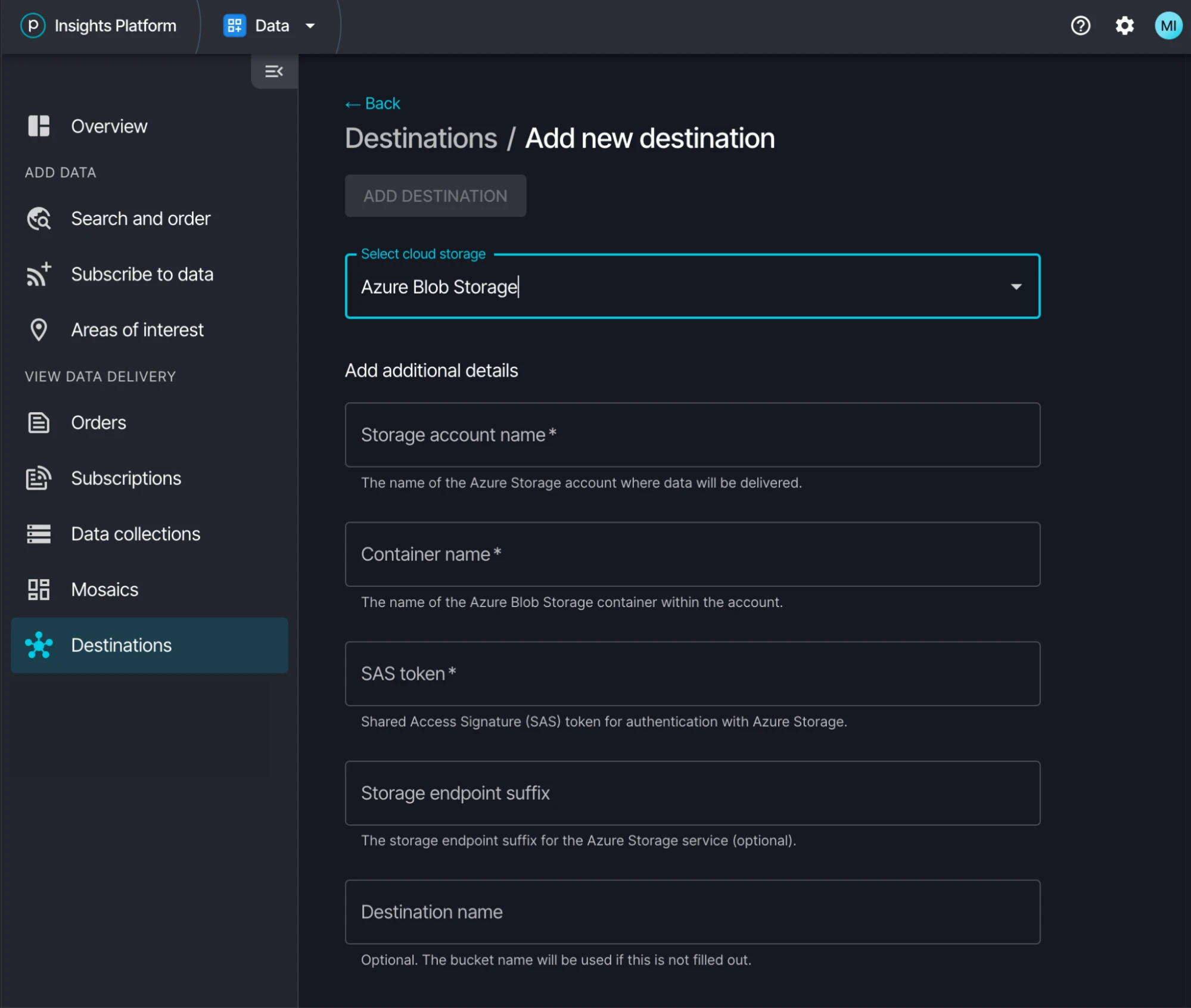
Set Up a New Destination