Landsat 8-9 L1 & L2
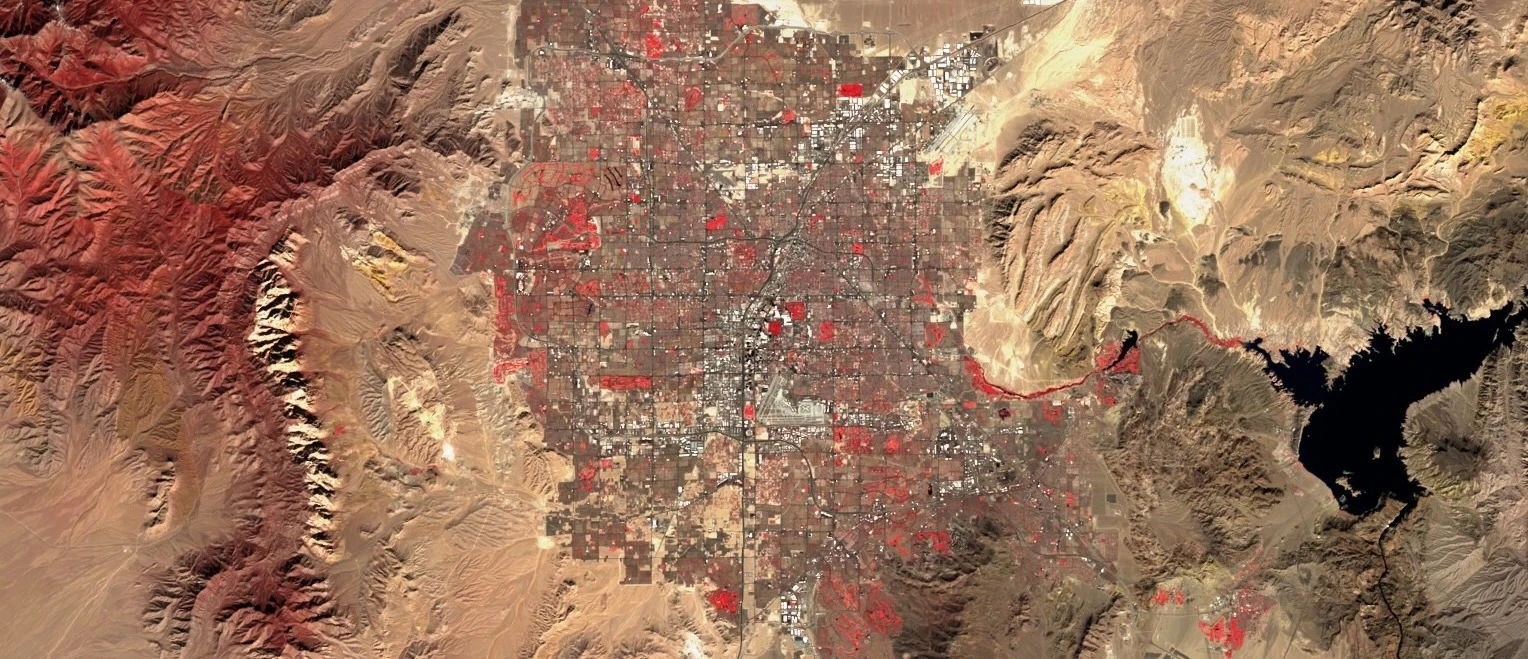
Landsat 8–9 collections include both Landsat 8 and the most recently launched Landsat 9 satellites (provided by NASA/USGS), both carrying the Operational Land Imager (OLI/OLI-2) and the Thermal Infrared Sensor (TIRS/TIRS-2) instruments, providing seasonal coverage of the global landmass.
Landsat 8–9 Level 1 includes radiometrically calibrated and orthorectified data with 9 optical and 2 thermal bands. Landsat 8–9 Level 2 provides global surface reflectance and surface temperature science products. Level 2 science products are generated from Collection 2 Level-1 inputs that meet the <76 degrees Solar Zenith Angle constraint and include the required auxiliary data inputs to generate a scientifically viable product.
Basic Facts
| Property | Landsat 8–9 Level 1 | Landsat 8–9 Level 2 |
|---|---|---|
| Data type | Top of Atmosphere (TOA) Reflectance and Brightness Temperature | Surface Reflectance and Surface Temperature |
| Spatial resolution | 15 m for the panchromatic band and 30 m for the rest (the thermal bands is resampled from 100 m) | 30 m (the thermal bands is resampled from 100 m) |
| Sensor | Operational Land Imager (OLI for Landsat 8 and OLI-2 for Landsat 9) with 9 spectral bands and Thermal Infrared Sensor (TIRS for Landsat 8 and TIRS-2 for Landsat 9) with 2 thermal bands | Operational Land Imager (OLI for Landsat 8 and OLI-2 for Landsat 9) with 9 spectral bands and Thermal Infrared Sensor (TIRS for Landsat 8 and TIRS-2 for Landsat 9) with 2 thermal bands |
| Revisit time | 8 days (16 days for each of the two sensors) | 8 days (16 days for each of the two sensors) |
| Spatial coverage | Whole globe | Whole globe |
| Data availability | Landsat 8 since March 2013, Landsat 9 since November 2021. | Landsat 8 since February 2013, Landsat 9 since January 2022. |
| Common usage/purpose | Vegetation monitoring, land use, land cover maps and monitoring of changes. | Vegetation monitoring, land use, land cover maps and monitoring of changes. |
Accessing Data
To access data you need to send a POST request to the Processing API. The requested data will be returned as the response to your request. Each POST request can be tailored to get you exactly the data you require. To do this requires setting various parameters which depend on the collection you are querying.
For an overview of all API parameters see the API Reference.
Endpoint Locations
| Service | Notes |
|---|---|
| services-uswest2.sentinel-hub.com/api | Global coverage since February 2013 |
Data type identifiers
Use the following values for input.data.type:
| Dataset | Identifier |
|---|---|
| Landsat 8–9 Level 1 | landsat-ot-l1 (previously LOTL1) |
| Landsat 8–9 Level 2 | landsat-ot-l2 (previously LOTL2) |
Filtering Options
This chapter explains the input.data.dataFilter object.
mosaickingOrder
| Value | Description | Notes |
|---|---|---|
| mostRecent | (default) The pixel will be selected from the most recently acquired tile | |
| leastRecent | similar to mostRecent but in reverse order | |
| leastCC | The pixel is selected from the tile with the lowest cloud coverage | This information is estimated per tile (each covering about 31,100 sq. km) so local cloud coverage may differ |
maxCloudCoverage
Sets the upper limit for cloud coverage in percent based on the precomputed cloud coverage estimate for each tile as present in the tile metadata. Satellite data will therefore not be retrieved for tiles with a higher cloud coverage estimate. For example, by setting the value to 20, only tiles with at most 20% cloud coverage will be used. Note that this parameter is set per tile and might not be directly applicable to the chosen area of interest.
dayNight
Sets the time of day when the products used for rendering were acquired.
| Value | Description |
|---|---|
| DAY | (default) Only products acquired during daytime acquisitions are used. |
| NIGHT | Only products acquired during nighttime acquisitions are used. |
| ALL | Products from both day and night acquisitions are used. |
Data acquired during nighttime acquisitions only contains usable information in the thermal bands (see the Available Bands and Data below).
tiers
Level 1 tiers
| Value | Description |
|---|---|
| TIER_1 | selects Tier 1 products |
| TIER_1_AND_RT | selects Tier 1 and Real-Time products (only for Landsat 8) |
| ALL_TIERS | selected by default. selects Real-Time, Tier 1 and Tier 2 products |
Level 2 tiers
| Value | Description |
|---|---|
| TIER_1 | selects Tier 1 products |
| ALL_TIERS | selected by default. selects Tier 1 and Tier 2 products |
Processing Options
| Parameter | Description |
|---|---|
| upsampling | The same as for S2L1C. |
| downsampling | The same as for S2L1C. |
Available Bands and Data
Below are the bands for each data level.
Landsat 8–9 Level 1 Bands
| Name | Description | Resolution |
|---|---|---|
| B01 | Ultra Blue (443 nm) | 30 m |
| B02 | Blue (482 nm) | 30 m |
| B03 | Green (561.5 nm) | 30 m |
| B04 | Red (654.5 nm) | 30 m |
| B05 | Near Infrared (NIR) (865 nm) | 30 m |
| B06 | Shortwave Infrared (SWIR) 1 (1608.5 nm) | 30 m |
| B07 | Shortwave Infrared (SWIR) 2 (2200.5 nm) | 30 m |
| B08 | Panchromatic (589.5 nm) | 15 m |
| B09 | Cirrus (1373.5 nm) | 30 m |
| B10 | Thermal Infrared (TIRS) 1(10895 nm) | 30 m[1] |
| B11 | Thermal Infrared (TIRS) 2 (12005 nm) | 30 m[1] |
| BQA | Quality Assessment band (QA) | 30 m |
| QA_RADSAT | Radiometric Saturation and Terrain Occlusion QA Band | 30 m |
| VAA | View (sensor) Azimuth Angle | 30 m |
| VZA | View (sensor) Zenith Angle | 30 m |
| SAA | Sun Azimuth Angle | 30 m |
| SZA | Sun Zenith Angle | 30 m |
| dataMask | The mask of data/no data pixels (more). | N/A [2] |
[1]: Thermal bands are acquired at 100 meter resolution, but are resampled to 30 meter in delivered data product.
[2]: dataMask has no source resolution as it is calculated for each output pixel.
Landsat 8–9 Level 2 Bands
| Name | Description | Resolution |
|---|---|---|
| B01 | Ultra Blue (443 nm) | 30 m |
| B02 | Blue (482 nm) | 30 m |
| B03 | Green (561.5 nm) | 30 m |
| B04 | Red (654.5 nm) | 30 m |
| B05 | Near Infrared (NIR) (865 nm) | 30 m |
| B06 | Shortwave Infrared (SWIR) 1 (1608.5 nm) | 30 m |
| B07 | Shortwave Infrared (SWIR) 2 (2200.5 nm) | 30 m |
| B10 | Thermal Infrared (TIRS) 1(10895 nm) | 30 m[1] |
| BQA | Quality Assessment band (QA) | 30 m |
| QA_RADSAT | Radiometric Saturation and Terrain Occlusion QA Band | 30 m |
| SR_QA_AEROSOL | SR Aerosol QA | 30 m |
| ST_QA | Surface Temperature Uncertainty | 30 m |
| ST_TRAD | Level-1 thermal band converted to thermal surface radiance | 30 m |
| ST_URAD | Upwelled Radiance | 30 m |
| ST_DRAD | Downwelled Radiance | 30 m |
| ST_ATRAN | Atmospheric Transmittance | 30 m |
| ST_EMIS | Emissivity of Band 10 estimated from ASTER GED | 30 m |
| ST_EMSD | Emissivity standard deviation | 30 m |
| ST_CDIST | Pixel distance to cloud | 30 m |
| dataMask | The mask of data/no data pixels (more). | N/A [2] |
Units
Both unit tables preserved exactly.
Landsat 8–9 Level 1 Units
| Band | Physical Quantity (units) | Units Value | Source Format | Typical Range | Notes |
|---|---|---|---|---|---|
| Optical bands B01 - B09 | Reflectance (unitless) | REFLECTANCE [1] | UINT16 | 0 - 0.4 | Higher values in infrared bands. Reflectance values can easily be above 1. |
| Thermal infrared bands B10 - B11 | Brightness temperature (kelvin) | BRIGHTNESS_TEMPERATURE [2] | UINT16 | 250 - 320 | Brightness temperature of roughly -20 to +50 C. Can reach outside this range in extreme environments. |
| BQA | Pixel quality assessment (unitless) | DN | UINT16 | bit-packed combination | The values can be obtained using the utility function decodeL8C2Qa. |
| QA_RADSAT | Radiometric saturation quality assessment (unitless) | DN | UINT16 | bit-packed combination | |
| VAA | Angle (degrees) | DEGREES | INT16 | ||
| VZA | Angle (degrees) | DEGREES | INT16 | ||
| SAA | Angle (degrees) | DEGREES | INT16 | ||
| SZA | Angle (degrees) | DEGREES | INT16 | ||
| dataMask | N/A | DN | N/A | 0 - no data 1 - data |
Landsat 8–9 Level 2 Units
| Band | Physical Quantity (units) | Units Value | Source Format | Typical Range | Notes |
|---|---|---|---|---|---|
| Optical bands B01 - B07 | Surface reflectance (unitless) | REFLECTANCE | UINT16 | 0 - 0.4 | Higher values in infrared bands. Reflectance values can easily be above 1. |
| Thermal infrared band B10 | Surface temperature (kelvin) | SURFACE_TEMPERATURE | UINT16 | 250 - 320 | Surface temperature of roughly -20 to +50 C. Can reach outside this range in extreme environments. |
| BQA | Pixel quality assessment (unitless) | DN | UINT16 | bit-packed combination | |
| QA_RADSAT | Radiometric saturation quality assessment (unitless) | DN | UINT16 | bit-packed combination | |
| SR_QA_AEROSOL | Surface reflectance quality assessment (unitless) | DN | UINT8 | bit-packed combination | |
| ST_QA | Surface temperature uncertainty (Kelvin) | KELVIN | INT16 | ||
| ST_TRAD | Radiance (W / m^2 / sr / μm) | RADIANCE | INT16 | ||
| ST_URAD | Radiance (W / m^2 / sr / μm) | RADIANCE | INT16 | ||
| ST_DRAD | Radiance (W / m^2 / sr / μm) | RADIANCE | INT16 | ||
| ST_ATRAN | Atmospheric transmittance (unitless) | FRACTION | INT16 | 0 - 1 | |
| ST_EMIS | Emissivity (unitless) | FRACTION | INT16 | 0 - 1 | |
| ST_EMSD | Emissivity standard deviation (unitless) | FRACTION | INT16 | 0 - 1 | |
| ST_CDIST | Pixel distance (kilometers) | KILOMETERS | INT16 | ||
| dataMask | N/A | DN | N/A | 0 - no data 1 - data |
Scenes Object
scenes object stores metadata. An example of metadata available in scenes object for Landsat 8-9 L1 when mosaicking is ORBIT:
| Property name | Value |
|---|---|
| dateFrom | '2018-12-25T00:00:00Z' |
| dateTo | '2018-12-25T23:59:59Z' |
| tiles[i].landsatOliTirsProductId | 'LC08_L1TP_190027_20181225_20200829_02_T1' |
| tiles[i].date | '2018-12-25T09:45:29.121783Z' |
| tiles[i].shId | 3097841 |
| tiles[i].cloudCoverage | 98.35 |
| tiles[i].dataPath | 'https://usgs-landsat.s3.amazonaws.com/...' |
Catalog API Capabilities
To access Landsat 8-9 product metadata you need to send search request to our Catalog API. The requested metadata will be returned as JSON formatted response to your request.
Collection identifiers
landsat-ot-l1landsat-ot-l2
Filter extension
eo:cloud_coverlandsat:scene_idlandsat:collection_category
Distinct extension
date