Sentinel 2 L1C & L2A
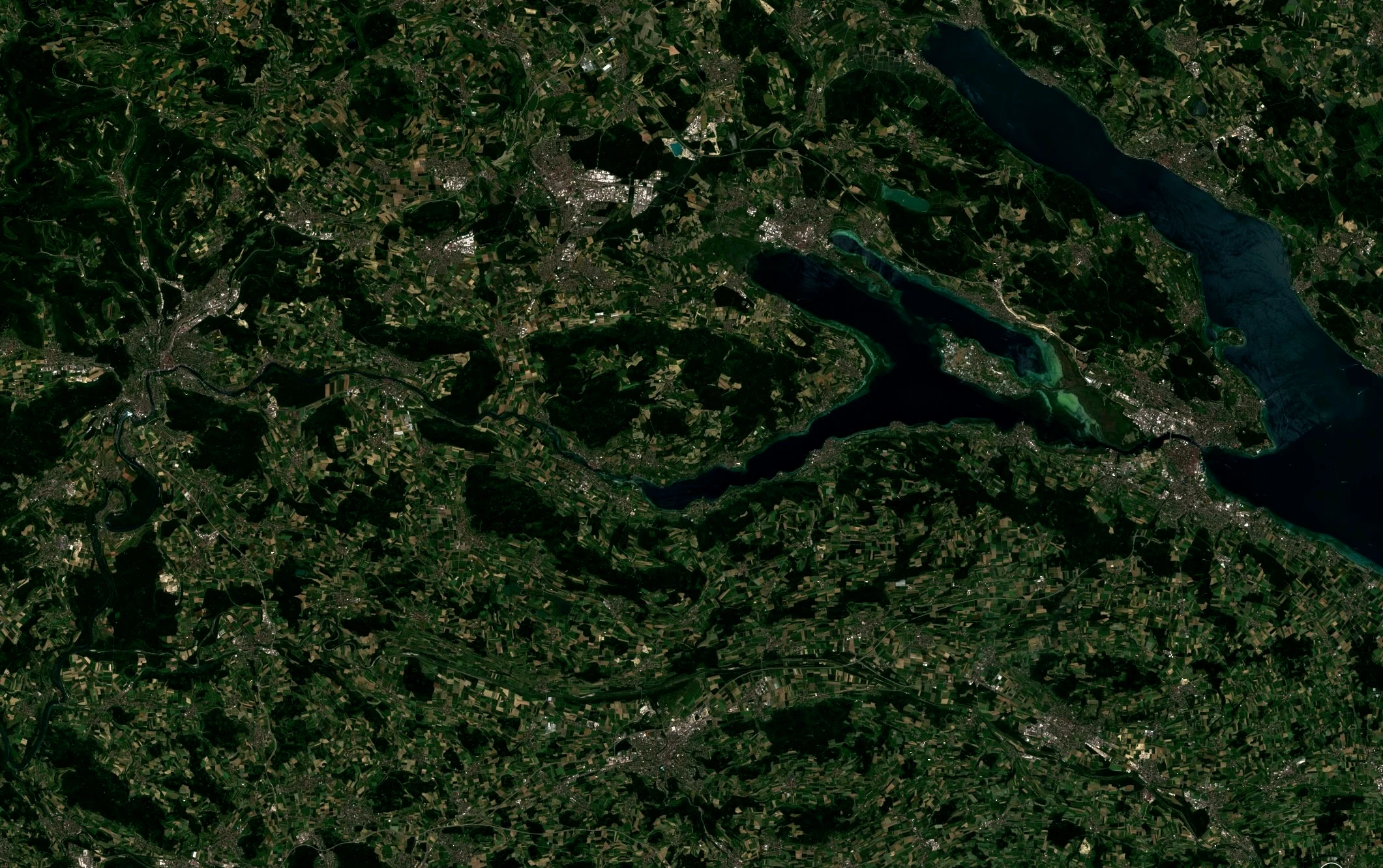
Sentinel-2 is a European wide-swath, high-resolution (as defined by ESA) multispectral imaging mission. Its optical imagery supports applications such as land monitoring, emergency response, and security-related use cases. The multispectral instrument provides 13 spectral bands spanning the visible, near-infrared, and shortwave infrared regions.
Dedicated to supplying data for Copernicus services, Sentinel-2 carries a range of technologies such as multispectral imaging instruments for land, ocean, and atmospheric monitoring. It delivers high-resolution optical images for land monitoring, emergency response, and security services. For more information, see the S2 Mission and the Collection User Guide.
Basic Facts
| Property | Value |
|---|---|
| Sensor | MultiSpectral Instrument (MSI), 13 bands: four visible bands, six near-infrared bands, and three short-wave infrared bands |
| Spatial resolution | 10 m, 20 m, and 60 m (band-dependent) |
| Revisit time | five days at the equator (two to three days at mid latitudes) |
| Spatial coverage | Land and coastal areas between latitudes 56°S and 83°N |
| Common use cases | Land-cover mapping, land-change detection, vegetation monitoring, burned-area analysis |
Product Differences
| Property | Sentinel-2 L1C | Sentinel-2 L2A |
|---|---|---|
| Measurement | Top-of-atmosphere (TOA) reflectance | Bottom-of-atmosphere (BOA) reflectance, processed from L1C using Sen2Cor |
| Data availability | Available since November 2015 | Available since October 2016 (global availability since January 2017) |
Note: Sentinel-2A was maneuvered into a new orbit (located 36° away from Sentinel-2B) and resumed observations in 13 March 2025. With this campaign, the Sentinel-2 constellation consists of 3 satellites for 1 year (till 13 March 2026).[1]
Attribution and Use
EU law grants free access to Copernicus Sentinel Data and Service Information for the purpose of the following lawful uses: a) reproduction; b) distribution; c) communication to the public; d) adaptation, modification, and combination with other data and information; e) any combination of points a to d.
See more details on the use of Copernicus Sentinel data and service information.
Tracing based on Sentinel imagery is allowed for commercial purposes as well.
Acknowledgment: Contains modified Copernicus Sentinel data [Year] processed by Planet.
Accessing Sentinel-2 Data
To access data, you need to send a POST request to the Processing API. The requested data will be returned as the response to your request. Each POST request can be tailored to get exactly the data you require by setting various parameters depending on the data source.
Endpoint Locations
| Data | Service | Notes |
|---|---|---|
| Sentinel-2 L1C | services.sentinel-hub.com/api/ | Global since November 2015 |
| Sentinel-2 L2A | services.sentinel-hub.com/api/ | Europe since November 2016 Global since January 2017 |
Data type identifiers:
sentinel-2-l1csentinel-2-l2a
Use these as the value of the input.data.type parameter in your API requests.
This ensures you get the correct Sentinel-2 data level.
Filtering Options
This chapter explains the input.data.dataFilter object for Sentinel-2 data.
mosaickingOrder
Sets the order of overlapping tiles from which the output result is mosaicked. Tiles typically come from the same orbit/acquisition.
| Value | Description | Notes |
|---|---|---|
| mostRecent | (default) Pixel selected from the most recently acquired tile | In case multiple tiles share the same timestamp, the one downloaded or created latest will be used. |
| leastRecent | Same as above, but in reverse order | |
| leastCC | Pixel selected from tile with least cloud coverage | Tile-level metadata (each covering about 12,000 sq. km), approximate values |
maxCloudCoverage
Sets the upper limit for cloud coverage (%) based on precomputed estimates in the tile metadata.
For example, setting 20 retrieves only tiles with at most 20% cloud coverage.
The filter is per-tile and might not perfectly reflect the area of interest.
previewMode
Sentinel-2 L1C
As of April 15, 2025, new orbit and tile previews are no longer produced. All existing previews will be removed May 12, 2026.
The Planet API supports both full- and low-resolution access. Low-resolution “previews” allow faster loading but have limitations.
| Value | Description |
|---|---|
| DETAIL (default) | Full-resolution to 200 m/px – original files |
| TILE_PREVIEW | Up to 640 m/px – tile previews (identical at 160 m/px) |
| PREVIEW | Up to 1500 m/px – orbit-wide previews at 200 m/px |
| EXTENDED_PREVIEW | As PREVIEW but allows > 1500 m/px resolutions (up to 1 month old data) |
maxCloudCoverage is ignored for PREVIEW and EXTENDED_PREVIEW.
Sentinel-2 L2A
Low-resolution previews are not generated for L2A. Full-resolution processing is available up to 1500 m per pixel, though performance degrades beyond 250 m/px.
| Value | Description |
|---|---|
| DETAIL | Displays original data from full resolution to 1500 m per pixel |
Antimeridian handling
Browser does not magically handle all aspects of data which crosses the antimeridian. Longitudes beyond +180 degrees are NOT treated as longitudes beyond -180 degrees. Sentinel-2 tiles do cross the antimeridian and L1C and L2A tiles are distributed in the UTM projection. Requesting data in the native UTM coordinates will work exactly as expected. However, for mosaicking, UTM zone 1 and UTM zone 60 are not seen as intersecting even though they do intersect in reality. UTM tiles reprojected to some other coordinate system may fall outside the bounds of this coordinate system. This happens with WGS84, for example, where you may get data at -181 longitude. It is also possible to not get data at +179 longitude due to the slight asymmetry of the Sentinel-2 tile grid. In these situations some additional care must be taken when creating requests.
Processing Options
This chapter explains the input.data.processing object for Sentinel-2 data.
| Parameter | Description | Values | Default |
|---|---|---|---|
| upsampling | Interpolation when requested resolution > source resolution | NEAREST - nearest neighbour interpolation BILINEAR - bilinear interpolation BICUBIC - bicubic interpolation | NEAREST |
| downsampling | Interpolation when requested resolution < source resolution | NEAREST - nearest neighbour interpolation BILINEAR - bilinear interpolation BICUBIC - bicubic interpolation | NEAREST |
For visualization, see upsampling comparison examples.
Available Bands and Data
This chapter will explain the bands and data which can be set in the evalscript input object.
Any string listed in the column Name can be an element of the input.bands array in your evalscript.
| Name | Description | Resolution | Notes |
|---|---|---|---|
| B01 | Coastal aerosol | 60 m | |
| B02 | Blue | 10 m | |
| B03 | Green | 10 m | |
| B04 | Red | 10 m | |
| B05 | Vegetation red edge | 20 m | |
| B06 | Vegetation red edge | 20 m | |
| B07 | Vegetation red edge | 20 m | |
| B08 | NIR | 10 m | |
| B8A | Narrow NIR | 20 m | |
| B09 | Water vapour | 60 m | |
| B10 | SWIR – Cirrus | 60 m | (excluded for L2A BOA data) |
| B11 | SWIR | 20 m | |
| B12 | SWIR | 20 m | |
| CLP | Cloud probability (S2Cloudless) (more) | 160 m | S2Cloudless band is 160 m; can be requested for products at any output resolution |
| CLM | Cloud mask (S2Cloudless) (more) | 160 m | |
| AOT (L2A) | Aerosol Optical Thickness map (Sen2Cor) | 10 m | Only L2A |
| SCL (L2A) | Scene classification (Sen2Cor) | 20 m | Only L2A |
| SNW (L2A) | Snow probability (Sen2Cor) | 20 m | Only L2A |
| CLD (L2A) | Cloud probability (Sen2Cor) | 20 m | Only L2A |
| sunAzimuthAngles | Sun azimuth angle | 5000 m | |
| sunZenithAngles | Sun zenith angle | 5000 m | |
| viewAzimuthMean | Viewing azimuth angle | 5000 m | |
| viewZenithMean | Viewing zenith angle | 5000 m | |
| dataMask | Mask of data/no data pixels (more) | N/A | Calculated per pixel |
Units
The data values for each band in your evalscript are provided in the units specified below.
You can set the desired unit via input.units in your evalscript setup function.
The available units and their meanings depend on the selected dataset and band. Refer to the dataset-specific sections below for details on value scaling and interpretation.
| Band | Physical Quantity | Units Value | Source Format | Typical Range |
|---|---|---|---|---|
| Optical bands | Reflectance (unitless) | REFLECTANCE (default) | UINT15 | 0 – 0.4 * |
| Optical bands | Digital numbers | DN | UINT15 | 0 – 4000 * |
| CLP | Cloud probability (unitless) × 255 | DN | UINT8 | 0 – 255 |
| CLM | Cloud mask | DN | UINT8 | 0 (no clouds), 1 (clouds), 255 (no data) |
| L2A only: AOT | Aerosol optical thickness | OPTICAL_DEPTH | UINT16 | 0 – 0.6 (AOT = DN / 1000) |
| L2A only: SCL | Scene classification mask | DN | UINT8 | 0 – No data; 1–11 classification codes |
| L2A only: SNW | Snow probability | PERCENT | UINT8 | 0 – 100 |
| L2A only: CLD | Cloud probability | PERCENT | UINT8 | 0 – 100 |
| sunAzimuthAngles | Angle (degrees) | DEGREES | FLOAT32 | 30 – 200 |
| sunZenithAngles | Angle (degrees) | DEGREES | FLOAT32 | 15 – 80 |
| viewAzimuthMean | Angle (degrees) | DEGREES | FLOAT32 | 90 – 300 |
| viewZenithMean | Angle (degrees) | DEGREES | FLOAT32 | 0 – 12 |
| dataMask | N/A | DN | N/A | 0 (no data), 1 (data) |
*Higher values expected in IR bands; reflectance may exceed 1.
Harmonize Values
ESA updated the Sentinel-2 processing baseline starting with version 04.00 in January 2022, introducing changes to digital number (DN) interpretation that apply to this and all subsequent baselines.
For harmonized Sentinel-2 optical data, digital numbers (DN) are related to reflectance as:
DN = 10000 × reflectance
harmonizeValues can be true (default) or false, and it's behavior depends on the units chosen:
REFLECTANCE:harmonizeValues = true: negative reflectance values are clamped to zero. In other words, pixels with negative reflectance return zero reflectance instead.harmonizeValues = false: negative reflectance values can be returned.
DN:harmonizeValues = true: DN values are harmonized so they are comparable with data from previous baselines. Therefore it still holds thatDN = 10000 * REFLECTANCE. In addition, negative values are clamped to zero.harmonizeValues = false: DN values are exactly as provided in the source files themselves. The "true" DN value, you could say. Don't forget that values have different definitions with different processing baselines, careful with mosaicking!
Mosaicking
All mosaicking types are supported.
Scenes Object
The scenes object stores metadata.
Example (L1C ORBIT mosaicking):
| Property name | Value |
|---|---|
| dateFrom | '2020-09-15T00:00:00Z' |
| dateTo | '2020-09-15T00:00:00Z' |
| tiles[i].sentinel2ProductId | 'S2A_MSIL1C_20200915T101031_N0209_R022_T33TVM_20200915T122749' |
| tiles[i].date | '2020-09-15T10:17:52Z' |
| tiles[i].shId | 11583048 |
| tiles[i].cloudCoverage | 2.09 |
| tiles[i].dataPath | 's3://sentinel-s2-l1c/tiles/33/T/VM/2020/9/15/0' |
Collection Specific Constraints (Sentinel-2 L2A)
Atmospheric correction for Sentinel-2 L2A products is performed using ESA’s official Sen2Cor processor. This processing is carried out by ESA as part of the standard data production workflow.
Catalog API Capabilities
To access Sentinel-2 product metadata, send a search request to the Catalog API. The requested metadata is returned as a JSON response.
| Dataset | Collection Identifier | Filter Extension | Distinct Extension |
|---|---|---|---|
| Sentinel-2 L1C | sentinel-2-l1c | eo:cloud_cover | date |
| Sentinel-2 L2A | sentinel-2-l2a | eo:cloud_cover | date |